An AI agent that answers in your voice, and knows when to stop.
It replies from your own documents, takes only the actions you allow, and hands the conversation to a person the moment it should. On WhatsApp, web chat and Viber, and inside your journeys.
 Sample workspace
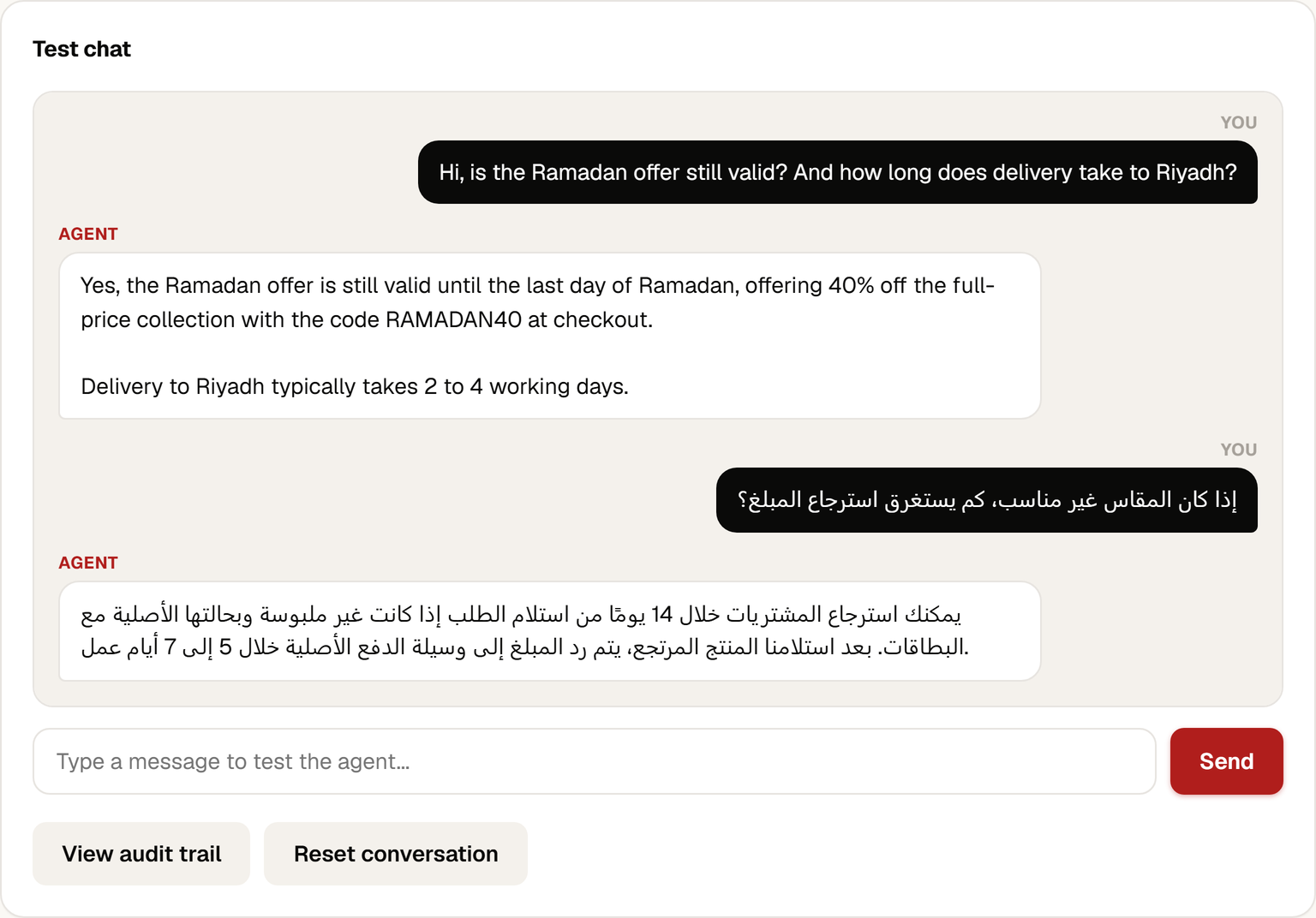
Answered in English and Arabic from three documents the store pasted in
Answers, acts, and hands off. Nothing else.
Answers from your documents
Paste a policy, upload a file or add a web page. The agent pulls the passages it needs for each question and answers in the customer's language, Arabic included.
- Refund rules, delivery times, offers, opening hours
- Instructions you write set the tone and the limits
- Test every change in a built-in chat before it goes live
Takes only approved actions
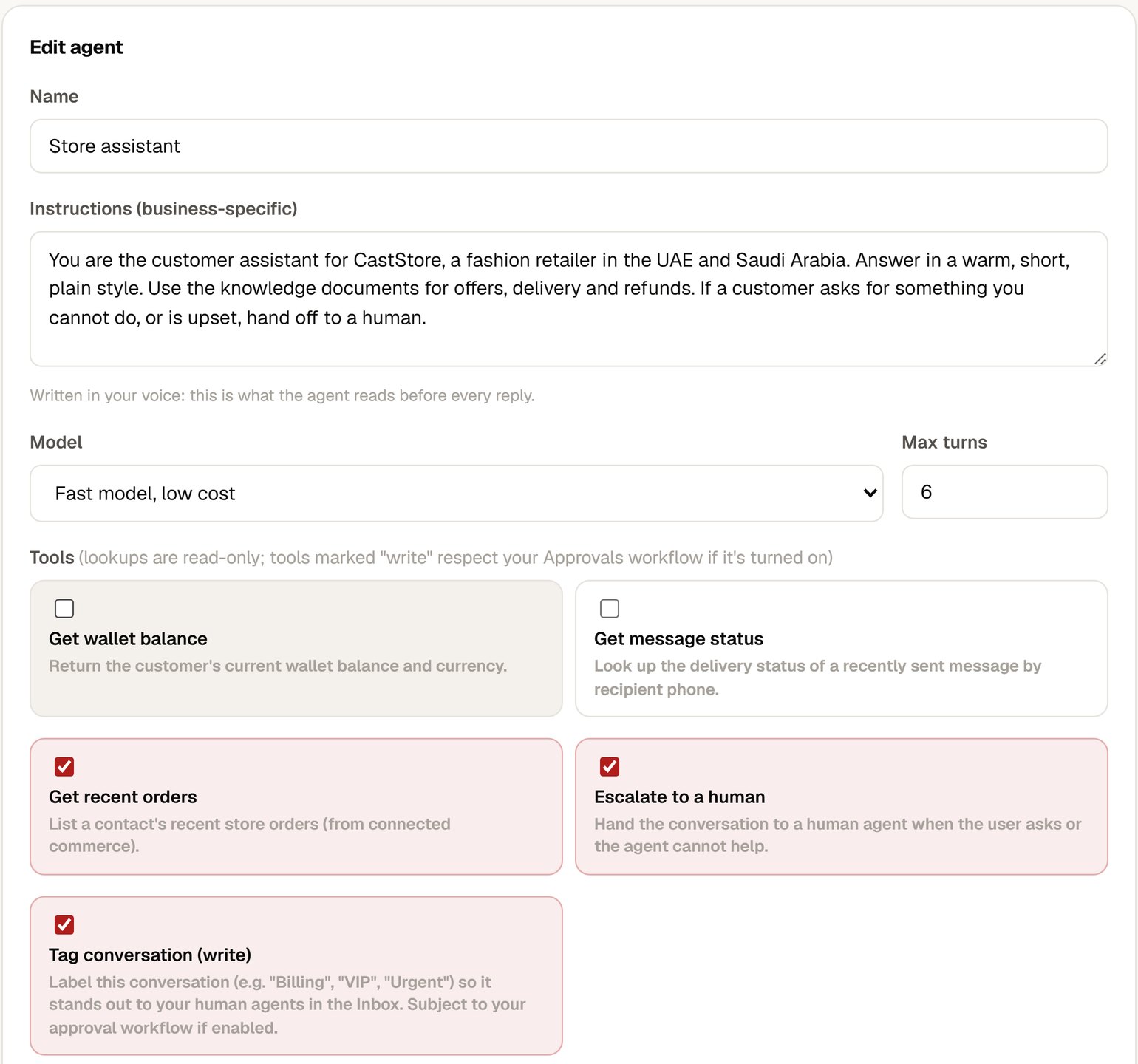
Every action is a tool you grant in the editor. There is no way for the agent to do anything you have not switched on.
- Look up a customer's recent orders
- Check the delivery status of a message
- Tag the conversation so your team sees it
Hands off the moment it should
When a customer asks for something outside its brief, or is unhappy, the agent stops and flags the thread for a person.
- Tags the conversation "Needs Human" in your inbox
- Never resumes on its own once it has handed off
- A turn limit you set caps every conversation
The same agent, on every conversation channel.
Your team gets the same intelligence in the inbox: suggested replies on open conversations, message variations when you compose, and a score on a campaign before you send it.
You decide what it can do. It cannot decide otherwise.
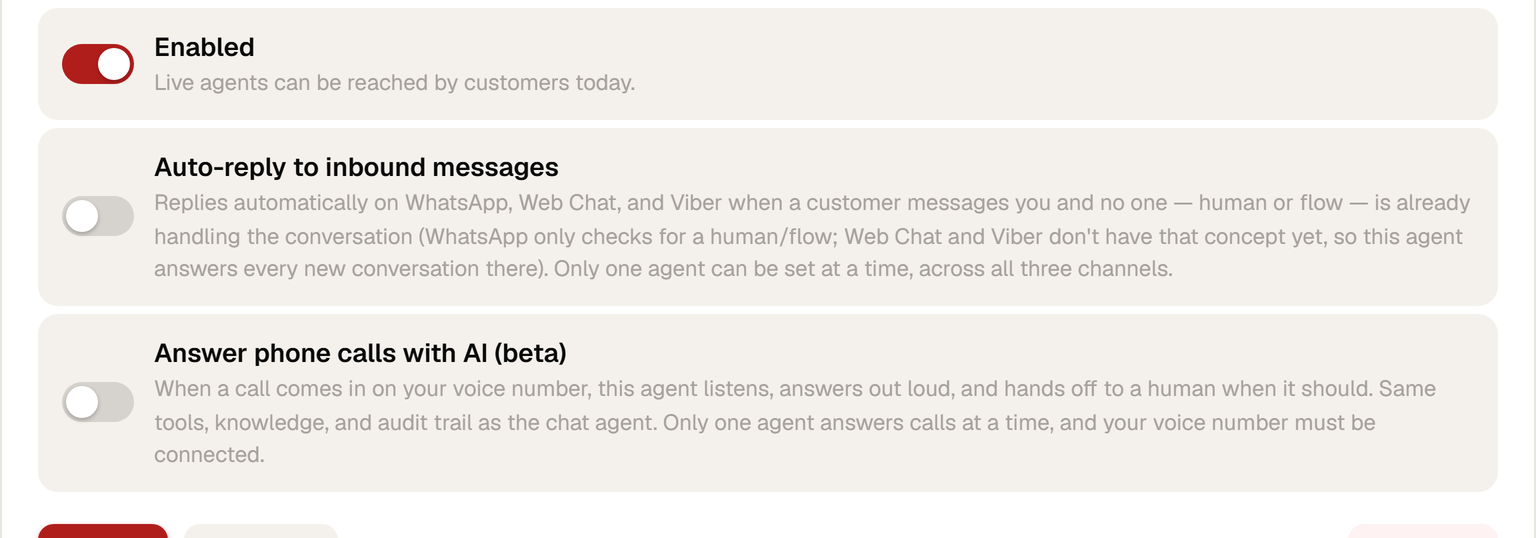
- Off until you switch it on. Build it, test it in the console, then enable auto-reply per channel.
- One agent speaks for the workspace. Only one agent can auto-reply at a time, so two agents never contradict each other.
- People and journeys come first. On WhatsApp it stays silent when a teammate or a journey already owns the conversation.
- A hard turn limit. Set the maximum number of exchanges. When it is reached, the thread goes to a person.
- Every turn on the record. Each reply and each tool call is written to an audit trail you can open from the editor.
- Your choice of model. Pick the model per agent. Fast and low cost, or the smartest available.
 Sample workspace
Billed per resolved conversation.
You pay only when the agent closes a conversation on its own. A handoff to a person costs nothing. There is no per-message charge and no seat for the agent. Rates depend on your plan and are confirmed in your pilot proposal.
The questions teams ask before switching it on.
What counts as a resolved conversation?
A conversation the agent closes itself, without handing off. If it flags the thread for a person, nothing is billed for that conversation.
Does it answer in Arabic?
It answers in the language the customer writes in, Arabic included. Give it your documents in Arabic and the answers come back in Arabic too.
What can it never do?
It cannot send money, change your account, message anyone on its own or use a tool you have not granted. The list of tools in the editor is the whole list.
Where do the conversations go?
To generate a reply, the customer's message, the passages it retrieved from your documents and your instructions are sent to the model provider you chose for that agent. Every turn stays in your Cast audit trail.
Can I try it without customers seeing it?
Yes. Every agent has a test chat in the editor. Auto-reply stays off until you switch it on, and you can switch it off again at any time.
Give your inbox a first responder.
Bring your refund policy and your delivery times. We set up an agent on the call and you test it live.